

How to Clean AirPods Safely (Earbuds, Case and Ear Tips)
AirPods spend hours in your ears every day, so it is no surprise they collect earwax, skin oil and pocket lint. Dirty AirPods can sound muffled, charge unreliably and, frankly, look a little gross. A quick clean every week or two keeps them working and sounding their best.
The trick is cleaning them without damaging the delicate speaker mesh or letting moisture inside. This guide covers how to clean AirPods, AirPods Pro ear tips and the charging case safely, what tools to use, and mistakes to avoid, including tips from Reddit users who rescued “quiet” AirPods with a proper clean.
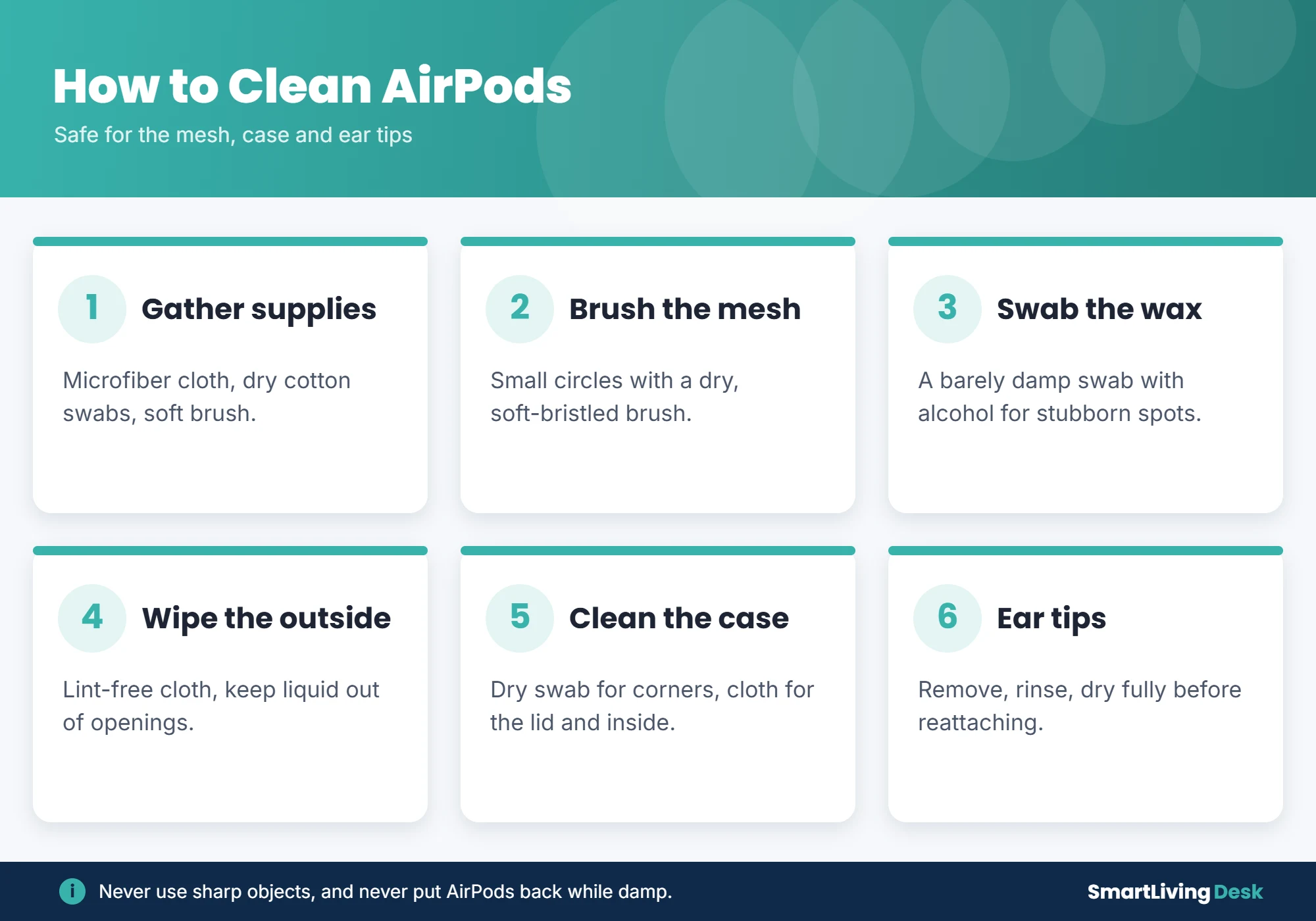
Quick answer: To clean AirPods, wipe them with a soft, dry, lint-free cloth. Gently brush the speaker and microphone mesh with a dry cotton swab or soft-bristled brush. For stubborn wax, use a cotton swab very lightly dampened with 70% isopropyl alcohol, and never let liquid get into the openings. Clean the charging case with a dry swab and cloth, especially around the charging contacts. For AirPods Pro, remove the ear tips, rinse them, and let them dry completely before putting them back.
What You Need
- Soft, lint-free microfiber cloth
- Dry cotton swabs
- A clean, soft-bristled brush (a new small paintbrush or clean toothbrush)
- 70% isopropyl alcohol (optional, for the outside and stubborn spots)
- Cleaning putty or Blu Tack (optional, for the mesh)

How to Clean AirPods Step by Step
Step 1: Wipe the outside
Take the AirPods out of the case and wipe them with a dry microfiber cloth. For a deeper clean, you can lightly dampen the cloth with 70% isopropyl alcohol. Avoid the speaker and mic openings.
Step 2: Clean the speaker mesh
According to TechRadar’s cleaning guide, gently brush the speaker and microphone grilles with a clean, dry, soft brush in small circles. Hold the AirPod with the mesh facing down so loosened debris falls out instead of going in.
Step 3: Remove stubborn wax
Lightly dampen a cotton swab with isopropyl alcohol, squeeze out any excess and gently dab the mesh. You can also press a small piece of cleaning putty against the mesh and pull it away to lift out wax. Never push hard.
Step 4: Let them dry
Leave the AirPods out for a few minutes to dry before putting them back in the case.
How to Clean AirPods Pro Ear Tips
- Gently pull the ear tips off the AirPods.
- Rinse them with clean water. For heavy buildup, use a drop of mild soap, then rinse well.
- Shake off water and dry them with a lint-free cloth.
- Let them air dry completely before reattaching. They should click into place.
Never put soap or water on the AirPods themselves.
How to Clean the AirPods Case
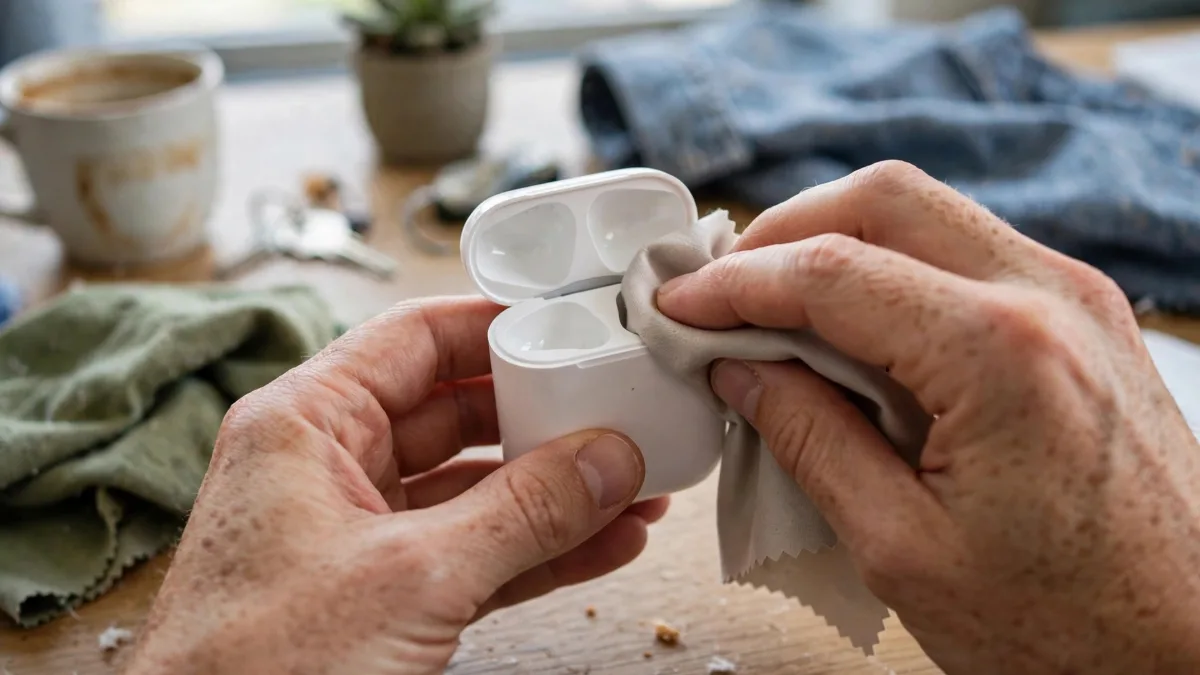
- Wipe the outside with a dry or lightly alcohol-dampened microfiber cloth.
- Use a dry cotton swab to clean inside the AirPod wells and along the lid hinge.
- Gently clean the metal charging contacts at the bottom of each well with a dry swab. Dirt here often causes charging problems.
- Keep liquid away from the charging port. A dry, soft brush works for the port.
What Not to Do
- Do not use sharp objects like pins, toothpicks or knives on the mesh.
- Do not run AirPods under water or soak them.
- Do not use harsh cleaners, bleach or abrasive pads.
- Do not blow into the case. Breath adds moisture.
- Do not put AirPods back in the case while damp.
How Often Should You Clean AirPods?
A quick wipe once a week and a deeper clean every few weeks works for most people. Clean them more often if you use them during workouts or share them. If your AirPods suddenly sound quiet or will not charge, a cleaning is often the fix. If not, try our guide on how to reset AirPods.
Frequently Asked Questions
Why do my AirPods sound muffled?
Earwax blocking the speaker mesh is the most common cause. Cleaning the mesh usually restores the sound.
Can I use alcohol wipes on AirPods?
Yes, on the outside, as long as no liquid gets into the openings.
Can I use hydrogen peroxide?
It is best avoided on the AirPods themselves, since it can damage the mesh and leave residue.
Why is one AirPod not charging?
Dirt on the stem or the case contacts is a common cause. Clean both with a dry swab.
The Bottom Line
To clean AirPods, wipe them with a dry microfiber cloth, gently brush the mesh, use a barely damp alcohol swab for wax, clean the case and charging contacts with a dry swab, and rinse AirPods Pro ear tips separately. Keep liquid out of every opening and let everything dry before reassembling.
For more device care, read how to connect a PS5 controller to PC and how to change your WiFi password.
Cleaning AirPods is at your own risk. Damage from liquid or sharp objects may not be covered by warranty.